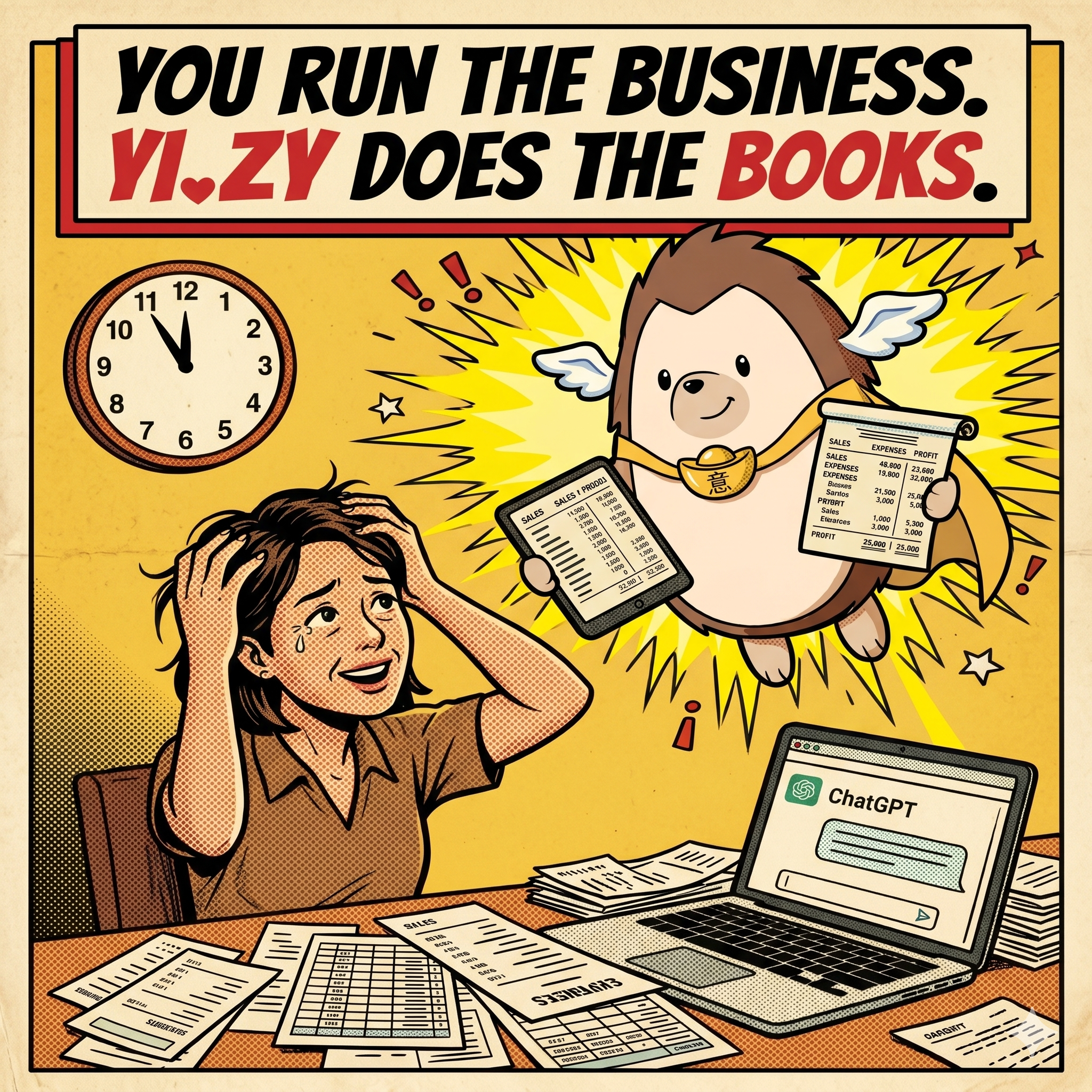

You run the business. Yi.zy does the books. — A tired Singaporean cafe owner buried in receipts and spreadsheets is rescued by the Yi.zy mascot bringing tidy, organised numbers.

Free bookkeeping software for Singapore's smallest businesses. Built by an SG accountant. No card. No catch. Yours.

SEE IT FIRST → TRY IT FREE — 30 SECONDS

We built this for you.
Not for your accountant.

If you've ever sat at the kitchen table at 11pm with a shoebox of receipts, wondering where the year went.

If you've ever opened Xero, stared at it for ten minutes, and closed the tab.

If you've ever wrestled with spreadsheets to consolidate the figures, even pasting them into ChatGPT to make sense of it all.

We make it Yi.zy for you.

Here. Take it.

Drop in your bank statement. Yi.zy reads every line, sorts it, flags the IRAS-disallowed bits, and shows you exactly where your cash is going.

30 seconds to start. No card. No subscription. No upsells inside the app — we made sure.

★ HERE'S WHAT YOU'D SEE ★

Your daily bookkeeping surface

Real screen, fictional cafe ("Grandma's Kitchen"). The numbers below are illustrative — your own numbers will replace them as soon as you upload a CSV.

YOUR REAL CASH Bank + reserve − planned spending. Updated every time you save a transaction.
EDIT THE PLANS Plan ahead — see the impact on your runway before you commit.
RUN-RATE, INSTANT Auto-computed from saved transactions. No spreadsheet. No setup.
P&L IN ONE CLICK Compare any period to the prior. Drill into any row. All free.
6 LANGUAGES EN · 中文 · BM · Việt · 日本語 · 한국어. Click the toggle top-right.
Yi.zy

Yi.zy · Your Bookkeeper

Grandma's Kitchen
MAIN RESTART ? EN▾

YI.ZY DAILY

YO BOSS — PICK YOUR NEXT MOVE

AVAILABLE CASH FOR BUSINESS
SGD 21,330.00
In bank (saved books) 16,330.00
+ Reserve (your stash) EDIT 8,000.00
= Available 24,330.00
− Planned Marketing investments (2,000.00)
− Planned Equipment investments (1,000.00)
− Planned Sales investments
− Planned HR / Tech investments
− Planned Other investments
EDIT PLANS
= Available (after plans) 21,330.00
As of 29 Mar 2026 · Upload daily to have more accurate balances.
Avg deposits / month 15,500.00
Avg withdrawals / month 13,385.00
= Est. net savings / month  2,115.00 GOOD JOB!
★ Deposits exceed Withdrawals — Your money is growing!
How long your money will last: N/A
AVG INCOME / MONTH
▲ inflow
SGD 15,500
across 5 months of data
AVG SPENT / MONTH
▼ outflow
SGD 13,385
across 5 months of data
TOTAL DEPOSITS
▲ inflow · all time
SGD 77,500
gross — all bank deposits
TOTAL WITHDRAWALS
▼ outflow · all time
SGD 66,925
gross — all bank withdrawals
$
SEE CASHFLOW P&L
SHOW IT!
YOUR REAL CASHBank + reserve − planned spending. Updated every time you save a transaction.
EDIT THE PLANSPlan ahead — see the impact on your runway before you commit.
RUN-RATE, INSTANTAuto-computed from saved transactions. No spreadsheet. No setup.
P&L IN ONE CLICKCompare any period to the prior. Drill into any row. All free.
5 LANGUAGESEN · 中文 · BM · Việt · 日本語 · 한국어. Click the toggle top-right.
★ DON'T SPEAK ACCOUNTANT? ★

We translated every accounting term.
Twice.

Every accounting word in Yi.zy has a small red next to it. Click for the plain-English version your 10-year-old would understand. Toggle to PRO if you want the accountant's view, with SG-specific nuance. Built so nobody has to nod along pretending they know what "accrual" means.

− Planned Marketing investments (2,000.00)
Planned investments
Money you've decided to spend on your business soon — like buying a new oven or running an ad campaign — but haven't actually paid for yet.

12 accounting terms get this treatment — Available Cash, Saved Books, Reserve Fund, Cashflow P&L, Income, Expenses, Net Income, Net Savings, Deposits, Withdrawals, and more. Toggle the topbar ? on /start to turn the explainers on or off whenever you want.

★ THE MAGIC MOMENT ★

Send the CSV. Make a kopi.
Come back to clean books.

You drop the file. AI categorises every line in parallel — five workers running at once. A typical month finishes in under a minute. Then you choose: trust the AI and save, or review row-by-row first. Either way, nothing hits your books until you click save.

Yi.zy
Got it boss — 47 rows from FEB 2026. Letting the AI take a look…
AI ACCOUNTING IN PROGRESS
32 of 47 rows tagged · 5 workers in parallel · resumes if you close the tab
Yi.zy
Done! 47 rows tagged. Want me to just save them, or do you want to check first?
JUST SAVE I'LL CHECK FIRST

Whole thing takes 30–60 seconds for a typical month. You don't even have to wait — close the tab, walk away. Yi.zy picks up where it left off when you come back.

★ AFTER THE CSV IS UPLOADED ★

The owner reviews before saving

Yi.zy does not auto-book the statement blindly. It stages the rows in Pending Review, splits deposits from withdrawals, lets the owner fix the details, then waits for an explicit Save to Books click.

Bank Transactions · Pending Review

Grandma's Kitchen uploads one bank CSV, sees AI suggestions row by row, then checks anything that looks off before the batch reaches the books.

AI analysed

Upload Statement

The left card is the same upload box the owner just used. Once pending rows exist, Yi.zy blocks a second upload so they finish this batch first.

CSV ALREADY UPLOADED DBS Everyday 8891
Rows are now sitting in Pending Review.
Upload → AI analysis → owner review → Save to Books.
Reports only read saved rows, not pending ones.

Pending Review (3)

Save to Books Clear All
All (3)
Deposits (1)
Withdrawals (2)
Date Party Category / Source Amount Flags Action
29 Mar 2026
IN
GrabFood Settlements
GRAB PAYOUT WEEKEND BATCH
Food Delivery F&B Sales +2,184.50 No Inv
high confidence
Edit · Accept
29 Mar 2026
OUT
Singtel
BUSINESS FIBRE + 2 MOBILES
Utilities / Telco Telephone & Internet -286.40 OK
medium confidence
Edit · Accept
28 Mar 2026
OUT
FairPrice Finest
GROCERIES + HOUSEHOLD ITEMS
Mixed spend Other Expenses -94.15 Personal?
low confidence
Edit · Accept
DEPOSIT EDIT FORM

What they check when money comes in

The owner mainly confirms who paid, which invoice it belongs to, what source it came from, and whether the receipt is really income, a grant, or borrowings.

Customer Assign the right customer if this came from a known client.
Payor Fix the name if the bank description is messy or abbreviated.
Invoice Number Enter or confirm the invoice reference when available.
Source Describe where the money came from: Shopee, retail, consulting, etc.
Income Type Keep as Income unless it is really a loan or a grant.
Missing Invoice? Flag yes when you were paid but the sales invoice is still missing.
Category Choose the right income bucket, or add a new one if needed.
Document Link Paste a Drive / Dropbox link if you want evidence attached.
WITHDRAWAL EDIT FORM

What they check when money goes out

This is where the owner makes the important expense decisions: business vs personal, direct cost vs operating expense, drawings, and long-term equipment.

Payee Make the merchant name readable and specific.
Invoice / Receipt No. Capture the receipt or invoice reference if you have it.
Expense Category Pick the cleanest business category for reporting.
Direct Cost? Use yes only when the cost is tied directly to making that sale.
Personal Expense? Mark yes if the owner paid something non-business.
Owner Drawings? Use yes if this is the owner taking money out personally.
Long-term Equipment? Use yes for assets with useful life beyond one year.
Document Link Attach supporting evidence for audit and materiality views.
1. FILTER FAST

Use Deposits and Withdrawals tabs to separate income review from expense review. Big batches become much easier to scan.

2. ONLY EDIT WHAT MATTERS

If the AI guess is already correct, the owner can accept it quickly. Edit is for the rows that need real human judgment.

3. SAVE TO BOOKS DELIBERATELY

Nothing hits reports until the owner explicitly clicks Save to Books. Pending Review is the safety buffer.

★ WHEN THE OWNER USES A PERSONAL CARD FOR BUSINESS ★

Capture the business spend without corrupting the books

Many owners pay for ads, subscriptions, supplies, and urgent purchases using their own personal credit cards. Yi.zy helps capture the real business expenses from that statement while keeping private spend out of the company books.

WHY DEFAULT TO PERSONAL Because the source statement is usually the owner's personal card. That default prevents private spending from slipping into the company accounts.
WHY THE OWNER REVIEWS Only the owner knows which charges were truly paid on behalf of the business. Yi.zy makes that review fast instead of messy.
WHY THIS HELPS LATER Cleaner capture here means better P&L, better owner-account treatment, and much less year-end cleanup for everyone.

Credit Card Review · Pending Review

Grandma's Kitchen uses a personal card for some business costs. Yi.zy stages the rows, keeps them Personal by default, and lets the owner switch only the real business charges into the books.

Default: Personal

Upload CC Statement

Upload the personal credit-card statement tied to the owner's spending. The important work is not the upload itself. It is the split between business and personal afterward.

CSV ALREADY UPLOADED UOB One Card 5531
Rows are now waiting in Pending Review.
Upload → AI analysis → owner marks true business charges → Save to Books.
Business expenses get captured, while personal spending stays out.
BUSINESS SGD 544.40 2 row(s) currently flowing to the P&L.
PERSONAL SGD 84.35 1 row(s) kept out of business expenses.

Pending Review (3)

Save to Books Clear All
All (3)
Business (2)
Personal (1)
Date Merchant Split / Category Amount Action
29 Mar 2026
Meta Ads
META*ADS 593829104
Business Advertising & Promotion
Real marketing spend. Safe to keep in P&L.
-426.00 Edit · Accept
28 Mar 2026
Sheng Siong
GROCERIES + HOME SUPPLIES
Personal Leave as Personal
Do not push household spend into business expenses.
-84.35 Edit · Accept
27 Mar 2026
Canon Singapore
INK + PRINTING SUPPLIES
Business Printing & Stationery
Business expense, but category still needs owner review.
-118.40 Edit · Accept
CREDIT CARD EDIT FORM

What they check on each card charge

The modal is intentionally short. The main question is whether the card charge belongs to the business at all. Once that is decided, the owner just confirms the supporting details.

Merchant / Payee Clean up the supplier name so the saved books stay readable.
Business or Personal? This is the key judgement call. The module defaults to Personal for safety.
Description Make the line understandable when you revisit it during audit or tax work.
Expense Category Only matters for Business items. Pick the reporting bucket that fits the spend.
Document Link Attach a Drive or Dropbox URL if you want evidence linked to the transaction.
1. SPLIT FIRST

The first job is deciding whether the charge was truly for the business or just personal spending on the same card.

2. CAPTURE THE RIGHT COST

Once a row is clearly business-related, the owner confirms the category and keeps the saved books clean and useful.

3. SAVE ONLY WHEN READY

Nothing is pushed into the books until the owner is comfortable that the true business expenses were separated from the personal ones.

01

BOOKKEEPING IN PLAIN ENGLISH

Drop a bank CSV. AI categorises every line. Click any accounting term in the app to get a 10-year-old explainer or the accountant's version. No jargon ambush.

02

AUDITS THAT CATCH WHAT YOU'D MISS

Tax Audit, FRS Audit, Closing Books Guide, Growth Audits across 6 pillars (Sales · Marketing · Ops · HR · Tech · Finance). Free. SG-specific. Educational-first.

03

BUILT BY AN SG ACCOUNTANT

By Ying at ET Management. Built for owners too small for an accountant, too confused for Xero, too lax to pay for SaaS. You're the target user — finally a tool fits.

Yi.zy mascot

WHY THIS EXISTS

I'm Ying. I founded ET Management — an accounting firm here in Singapore. For years I watched the same thing happen to small business owners. Brilliant at the work — the cooking, the consulting, the trading. But the books drowned them. Too small to be worth a firm's hourly rate. Too confused for Xero. Too lax on compliance to pay for anything.

Recently I stepped back from the daily operations of my firm. For the first time in a long career, I had the time — and the means — to build something I'd been thinking about for years. AI had also matured enough to do the boring 80% of bookkeeping reliably. So I poured both into Yi.zy.

Yes, it's a lead magnet for my firm and her strategic partners (like Forbis, Accountingbpo, Addcounts Solution, etc.) — I won't pretend otherwise. If you ever outgrow doing it yourself, I'd be honoured to help. But you don't have to. Use Yi.zy free, for as long as you like. Your data stays yours. There are no upsells inside the product. I made sure.

— YING ET Management · Singapore
REFERENCE ONLY

Reports are for planning, not IRAS submissions. Always check with a qualified accountant before filing.

YOUR DATA

Stays scoped to your account. No cross-business leakage. NRICs masked server-side.

WE'RE HERE

When complexity arrives — year-end, IRAS letters, restructuring — talk to ET Management.

Outside Singapore? The cashflow + audits + playbooks work anywhere — but the SG-specific tax flags, grants and SFRS audits won't apply. Sign up to add yourself to the international waiting list, and we'll let you know if/when an international build ships.

READY?
START FREE — RIGHT NOW.

30 seconds. No card. No upsells inside.

GET STARTED → Or email Ying directly: [email protected]